Product · payouts & approvals
Money out, one run at a time.
Paying people is where a small team's evening goes: copy, paste, check the last four characters, repeat. A payout run is one card with one total, and your rule decides whether it needs another signature before any of it moves.
Up to 200 payouts as one run
Add rows by hand or paste a CSV of payee, amount and note. Lines that do not parse are shown rather than dropped, so nobody is silently left out. The run draws from one account and appears in the queue as a single card you can expand to the rows.
The rule reads the total
Set the amount above which a payment needs another signature, and how many. A run of four small rows is measured on its total, so splitting a payment does not slip it under the line. Below the threshold the whole run executes and books immediately.
Nobody signs their own
Whoever proposes a payment never counts toward its quorum. If a rule asks for more signatures than the space has eligible signers, both Team & access and the Payments page say so with the numbers rather than leaving the payment stuck without explanation.
Bills, accepted then paid together
Invoices other Orla users send you land in Incoming. Accept them into a space, tick the ones due and pay them as one run from an account you choose. Each bill closes itself when its payment executes, and one already waiting in another run cannot be added twice.
What the team paid for
Anyone who can write to the space submits a claim: amount, date, what it was for, a category, a project, and a receipt or a label saying there is none. Only people who can approve payments see the queue, and nobody decides their own. Reimburse the approved ones as one run.
Several at once, or none
Every waiting payment has a checkbox. Approve or reject a selection in one action; rows you cannot act on, your own proposals among them, are skipped with the reason shown instead of failing the whole thing.
Four contractors, one card, one signature short
The run sits in the queue with its total and its signature count. Nothing moves until the count is met, and the log keeps who proposed it and who signed.
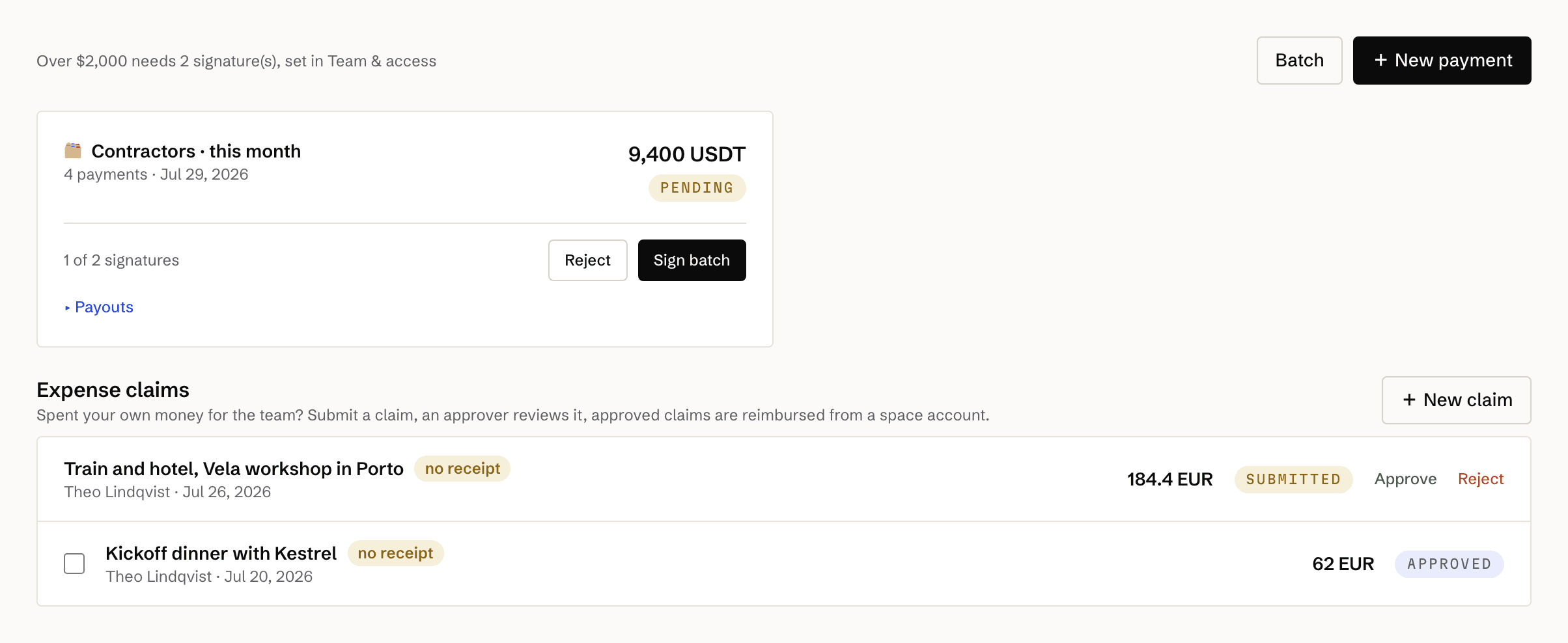
Taken from a seeded studio whose rule asks for two signatures over 2,000. Below it, two claims: one waiting on a decision, one approved and waiting to be paid.
- Rows per run
- 200, typed or pasted as CSV
- CSV shape
- payee, amount, note
- Approval check
- On the run's total, never row by row
- Quorum
- The proposer is never counted toward their own
- Below threshold
- Executes and books immediately
- Claims
- Submitted by any writer, decided only by an approver
- Receipts
- Optional, and a claim without one is labelled
- Reimbursement
- Books with the claim's own category and project
- Buttons in chat
- Approve and reject from Telegram or Slack
Can somebody dodge the rule by splitting a payment?
No. The rule is checked on the run's total, so four rows of 2,350 need exactly what one row of 9,400 needs.
What if the rule asks for more signatures than we have people?
It is allowed, because policies are often written before the team is assembled. Team & access and the Payments page both warn with the numbers, and the fix is to invite or name another approver, or lower the rule. A payment already waiting can be withdrawn by its proposer or rejected by the owner.
Can a claim be approved by the person who submitted it?
Never, whatever their role. Approving needs the payments permission, and the author is excluded from their own claim.
Can I approve a payment from my phone?
Yes. Approval requests reach a connected Telegram group or Slack channel with working buttons, and permissions are re-checked when the button is pressed rather than when it was drawn.
Pay everyone at once.
And let the rule decide what needs a second yes.